



Game info
Arcade game
Brainrot Slap War 3D is a arcade game focused on a clear task: learn the displayed objective and use the player’s recorded controls deliberately.
About Brainrot Slap War 3D
Brainrot Slap War 3D is a arcade game focused on a clear task: learn the displayed objective and use the player’s recorded controls deliberately.
Brainrot Slap War 3D is included here alongside Steal an Egg: Raise Rare Animals! because its recorded play features offer another way to explore this kind of game. Begin with its own start screen and rules rather than assuming that a familiar theme means the same controls. The description below separates the objective, the recorded inputs and a practical way to learn the next decision.
Gameplay and objective
Use the opening area to identify the target, movement and any restart or interaction action. Test a single input before adding another so its result is understandable. The current title’s instructions take priority over assumptions based on a similar thumbnail.
Features in Brainrot Slap War 3D
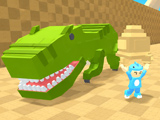
- Arena battles where you knock opponents into an abyss with powerful slaps.
- Money and experience rewards for each enemy you push off the platform.
- Character progression with unlockable abilities, morphs, and glove upgrades.
- Active skills like shield and slow motion used directly during fights.
Brainrot Slap War 3D controls
The recorded controls for this player are: Right mouse button - review; WASD / Arrow keys / movement; Left mouse button - strike; q - Shield (from level 5); e - slow down time (from level 10); r - morph into the new brainrot (if the panel is visible); Space - jump; tab - cursor. Check the current on-screen instructions before attempting a demanding sequence. If a touch device is being used, it needs the controls this game actually supplies; a responsive webpage alone does not create a missing touch interface. Learn movement and interaction separately in an opening area so an unfamiliar input is not mistaken for a problem with the plan.
Practical tips
Choose one recurring situation to compare across attempts. Notice where the intended action first becomes difficult, then change the relevant timing or position. A clear short practice goal makes progress easier to recognise than changing every input after an unsuccessful result.
A useful first session
Choose one small objective for the first attempt. Observe where the intended action becomes difficult, then change the relevant timing, position or route while keeping the successful parts familiar. Those are different adjustments, so changing all of them together makes the result harder to compare. An unfinished attempt can still reveal a useful constraint or a more dependable opening.
Before adding another challenge, check whether the known opening is repeatable. Use a restart or checkpoint when the game provides one, and wait for a movement or animation to finish before judging its result. The next decision should use the current state rather than a picture that the previous action has just changed. This makes a successful result something you can understand and work towards again.
Frequently asked questions
What is the objective of Brainrot Slap War 3D?
The objective is to learn the displayed objective and use the player’s recorded controls deliberately. Read the current player’s own instructions for the exact stage, mode and completion conditions.
What controls does Brainrot Slap War 3D use?
The recorded inputs are: Right mouse button - review; WASD / Arrow keys / movement; Left mouse button - strike; q - Shield (from level 5); e - slow down time (from level 10); r - morph into the new brainrot (if the panel is visible); Space - jump; tab - cursor. Follow any additional instructions shown by the game when a menu or situation changes.
What should I practise first?
Learn one clear action in a familiar opening area. Then compare a specific change in timing or position rather than replacing every input after each result.
Is progress shared with another game or account?
Do not assume a shared save. Use the selected title’s own storage and account information before expecting progress to transfer to an unrelated game or application.
Good game? Tell us.0
Share a tip, celebrate a high score, or tell us what you think. Keep it friendly.